How to Automatically Send Instagram DMs from Comments (Complete 2026 Guide)
The Shift in Instagram Growth: Why Manual DMs Are Costing You Thousands
If you're still spending 2 to 3 hours every evening manually sending direct messages to people who comment on your Instagram Reels, you're losing both your sanity and high-intent customers.
When a viewer watches your Reel and comments "LINK", their purchase intent is at its peak during the first 60 seconds. Studies show that leads contacted in under 2 minutes convert at a 391% higher rate than those messaged even an hour later.
How Comment-to-DM Automation Works in 2026
Modern Instagram automation does not rely on sketchy browser extensions or password-sharing bot tools. Instead, it leverages Meta's official Instagram Graph API Webhooks.
- Trigger Event: A user comments a specific keyword (e.g. LINK, GUIDE, YES) or any comment on your target publication.
- Instant Meta Webhook: Instagram's servers send an encrypted payload to your InstaAuto webhook in real-time.
- Public Acknowledgement: InstaAuto automatically likes the user's comment and posts a randomized reply (e.g., "Check your DM! 📩").
- Follower Check: If Follower-Gating is enabled, our system checks if the user follows you before delivering the link.
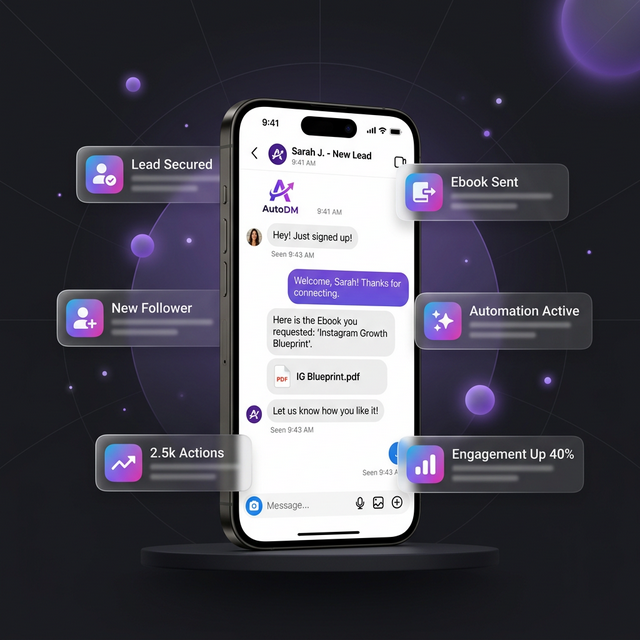
- DM Dispatch: The user receives a personalized private message with your clickable resource link in under 1.2 seconds!
Step-by-Step Tutorial: Setting Up Your First Flow
Step 1: Connect Your Creator or Business Account
Meta requires your Instagram account to be a Creator or Business profile linked to a Facebook Page. In InstaAuto, head over to Connect Instagram and authorize with 1 click.
Step 2: Choose Your Trigger Reel or Post
You can target a specific viral Reel or make the automation Universal (Account-Wide) so it fires across all past and future posts automatically.
Step 3: Define Trigger Keywords and Spintax Replies
Use comma-separated keywords like link, guide, free. For your public comment reply, use Spintax formatting: Check your DM! | Sent you a message! 🚀 | Details are in your inbox! to evade spam detection algorithms.
Step 4: Craft Your DM Message & Button Link
Personalize your message with {{username}} and provide a clear call to action with your destination URL.
Key Results Expected
- Lead Capture Velocity: 10x more link clicks compared to "link in bio".
- Follower Increase: Up to 300% more followers when using Follower-Gating.
- Time Saved: Over 15 hours saved every week on manual DMs.
Ready to implement this on your Instagram?
Set up your first comment-to-DM automation with follower-gating in less than 2 minutes. Free forever.